
If you’ve ever listed your dealership on Maps, Places, or Google+, you’ll know the power that each of those tools can hold. They have the ability to give you direct access to the millions of people that use these platforms. Though it’s agreed that they are quite powerful, it’s absolutely vital for you to know exactly how to use them, and how to analyze, update, and manage them.
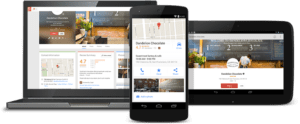
With Google My Business (GMB), businesses are able to have a platform to manage all of their listings, as well as be able to see their AdWords analytics and Insights. If you wish to update your listing on Google+ or Maps, then you can simply edit your profile and you’re good to go.
Over the past few months, Google has continued to add more great features to Google My Business that makes it easier and more able for businesses to take advantage of. Google My Business can help to increase your local search result ranking and grab your viewers’ attention.
The first step of any local SEO strategy is to claim and verify your business with your local business’ Google My Business listing. Qualifying businesses can claim free listings, which include business hours, phone number, address, information about their company, and the types of accepted payments. If you haven’t claimed and verified your business yet, then that will be your first step. You can get started by visiting https://www.google.com/business.
So, how can you use this great tool to help your business’s listing? Below are a few of the best ways that you can use the tools in Google My Business to your advantage.
- Complete All The Information
There are various questions that Google asks you when you fill out your Google My Business profile. When that’s done, all the information will help your current and potential customers to find out more information about your dealership.
If you don’t fill out the information, someone else could potentially do it. It’s not well understood that anyone can suggest an edit to the business’s listing, including your competitors. These changes can often be made without you ever being notified of the change – so it’s important to check your dashboard regularly to ensure you don’t get any unwanted changes.
- Google My Business Posts
These ‘posts’ are almost like social media posts or mini-ads that show up under your Google My Business listing. To get started with this, you’ll need to log into your GMB dashboard and the posts option will be on the left-hand side. You can be as creative as you like with your Google Posts, by adding a call-to-action, adding an image, or posting a link to another site or page.
Some examples of posts that you could make are:
- During the holiday months, give potential customers a holiday greetings post.
- If you have a new product coming out, show a picture and link to the purchase link.
- If you have a blog, add a short description and link to the post.
- Do you have a sale going on? Create a post announcing your sales event.
- If you’re having an event, such as a seminar or webinar, then you can create a post that has the date, time, and a link.
If you are forgetful, then don’t worry, you can create reminders to create a new post. Live posts on your listing attract more customers.
- Booking Button Feature
The booking button feature on Google My Business can help your business to stand out. So, if you have bookings available online, such as for servicing’s or repairs, then the integrated scheduling software allows customers to book directly to your business’s listing. Nowadays, customer appreciates the ability to make an appointment without needing to travel to the location to wait.
- Messaging
If you didn’t know, current and potential customers can send you text messages, which is a great way to connect with people directly. A great way to engage with people is to look at your GMB listing. To get started, log into your GMB dashboard and click Messaging on the left-hand side.
Within this, you can set up a message that people will receive when they message you along with a phone number. If you don’t want to show or use your personal number, then do you try Google’s Allo app, which you to use the same number that’s connected to the Google My Business account. It’s a great way to keep your business and personal text messages separate.
This feature is still in the beta stages, so it’s only available to mobile web users and not to desktop and mobile users. People will not be able to see this option in the Google Maps or Knowledge Panel. The only way that it is possible, is through the mobile web search on Google Chrome.
- Question & Answers
Questions and answers are a great tool by Google for local searches. It allows people to ask you questions directly and you can answer them directly as well. This allows other possible customers that might have had the same question to have it answered. However, a study by Google stated that only 25% of locations on Google Maps had resolved questions, with the majority of questions remaining unanswered.
- Google My Business Online Reviews
Unlike Yelp, Google encourages businesses to ethically ask their consumers to review them online. These reviews appear next to the listing and the Knowledge Panel.
According to a 2017 Consumer Review Survey by BrightLocal, 97% of consumers read online reviews and 85% consumers trust them as much as they trust personal recommendations. So, this further implements the importance of responding to reviews and asking your consumers to continue reviewing you online.
These are only a few of the ways that you can get the most out of your Google My Business listing, however, they are enough to get you started and above your competition. As a dealership owner, it’s your responsibility to create a well-managed listing that provides your customer with all the relevant information that they could possibly need.